
Why more home automation rarely makes a home feel better
The promise is fewer chores. The reality is a phone full of apps, a router that needs babysitting, and five minutes of setup nobody ever finishes.

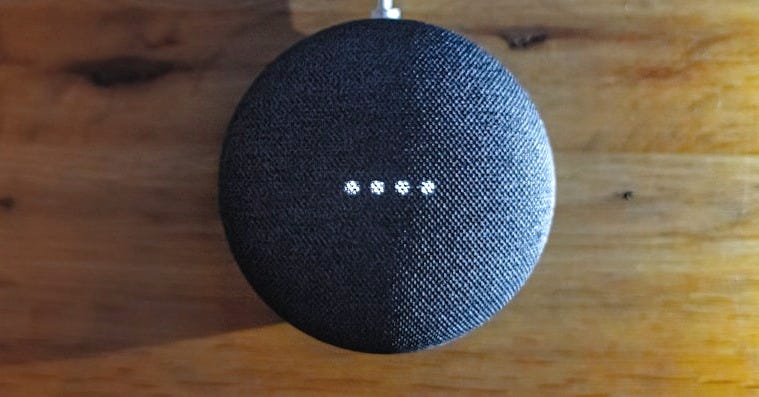
The phrase doing the heavy lifting this month is “monster spring update,” which is how TechRadar framed Google Home’s Spring 2026 rollout, and you can see why. Google is handing every user, not just the Early Access crowd, a much longer list of things to automate: arming and disarming a security system, watching a door lock for ‘jammed’ or ‘ajar’, starting and stopping a washing machine or coffee maker, docking a robot vacuum and reading humidity levels off a thermostat remotely. Some headlines went further, saying the update “finally fixes smart homes.” That’s the framing I need to push against, since the more interesting question isn’t what the changelog adds, but what happens when one of these longer scripts doesn’t run, and you’re standing in the kitchen in the dark trying to work out why.
I’ve been living with smart home kit for long enough to have a reflex about announcements like this: check the fine print before the feature list. Google’s own marketing page for the update has the most relevant line in a footnote: home automations “depend on working internet, Wi-Fi and service availability.” Which is true of pretty much everything now, of course, but it’s also the whole point compressed into a single disclaimer. The promise is a calmer home, but the reality is a whole chain of things that have to be up, talking to each other, and in agreement, every single time, in the right order.
What the update really does is widen that chain, even if the new automation traits look genuinely useful on paper. Being able to trigger something based on an appliance state, a door lock, or a switch long-press, rather than just a time or motion event, is the kind of depth enthusiasts have wanted for years. Android Police’s run-down of the full list reads like a wish granted: security and access, appliance and cleaning, lighting and environment, media and device health. If you’ve ever wanted to bring a command like “when the dryer finishes, flash the hallway lights amber” to life, you can now build exactly that without needing a separate, complex third-party automation bridge.
The trouble is that every one of those triggers is another link, and the links aren’t always going to be equally strong. A point that comes up again and again in the troubleshooting write-ups is that devices connected to Google natively, the Nest stuff, behave far more reliably as automation triggers than third-party kit joined through cloud-to-cloud integrations. So the moment your clever new routine leans on, say, a Tapo plug or a partner-brand lock to fire, you’ve swapped a robust trigger for a flaky one. The feature list doesn’t tell you that. You find it out at 7am when you just want the darn thing to work.
And what should give anyone pause before they get all script-happy is that the reliability problems predate the fix. Back in January, scripted automations across Google Home started failing en masse, with users on the Nest Community forum and Reddit reporting that previously solid routines went silent overnight. By March, Google had publicly acknowledged ongoing reliability issues with Home devices and automations, with no committed timeline, framing them as systemic rather than the work of a few bad devices. One writer at Android Authority, checking back months after a senior Google product chief promised a more reliable Home last October, found that commands still misfired and routines still refused to run. So the update that supposedly “finally fixes” the smart home is landing on ground that Google itself was, very recently, conceding was unstable.

If a routine failed loudly, none of this would matter much. You’d get an alert, you’d reach for the manual override, and life would go on. What makes smart home failures genuinely maddening is that they tend to fail silently, and the Spring update doesn’t address that.
The clearest single example I’ve seen is a long thread on Google’s own developer forum. A user with years of Google Home setup describes time-based routines that switch appliances on and off, at random, with no pattern. And when a routine fails, there’s no entry in the Google Home activity log. Manually trigger the same device, and an entry appears immediately. So the log isn’t recording a failed run; it’s recording that Google didn’t even try. A Google moderator’s reply on that thread confirms it, calling it a scheduling-service issue, acknowledging “intermittent automation reliability issues,” and suggesting, as a workaround, that you set critical routines to fire five or ten minutes early.
Sit with that for a second. The official advice for a routine you depend on is to schedule it before you actually need it, assuming it might not go off on time. That’s not automation. That’s setting two alarms because you don’t trust the first one.
The same user had already done everything a sensible person would do, deleting every routine, unlinking and relinking the integration, rebuilding from scratch, and it changed nothing. Which is the second uncomfortable truth about the diagnostic burden here: the standard fixes are themselves a part-time job. The recommended last resort across most troubleshooting guides is to delete the automation entirely and recreate it, because Google’s automation engine sometimes gets into a state where editing the existing one won’t clear it. There was even a period in January where the working hack was to add a dummy “OK Google” starter, save, then edit it out again to wake the routine back up. None of it is something a normal household should need to know.
This is the bit I keep coming back to, because it’s the argument in the users’ own words rather than mine.
Across the troubleshooting advice, the most consistent recommendation for making automations reliable is to make them simpler. If you’ve built one routine with ten conditions and five actions, break it into smaller, focused ones, because each is easier to test and far less likely to secretly break. During the January outage, the routines that kept running were the simple ones built in the app UI or through Gemini; the ones that died were the advanced, multi-step scripts from the dedicated editor, exactly the kind of logic this update is encouraging more people to write.
So you have a platform expanding its scripting depth on one hand, while its own community and, at times, its own support advice gently steer you away from complexity on the other. The Spring update gives you door locks, appliance states and robot vacuums to weave together. The collective wisdom of the people actually running these systems is: lovely, now use as few of them per routine as you can get away with.
I don’t think that contradiction is scandalous, exactly. It’s just the honest shape of where smart home automation is in 2026. Capability is outpacing reliability, and the gap is filled by your own troubleshooting time. Every trait you add to a routine is a small bet that the whole chain holds. The more elaborate the script, the longer the odds, and the worse the morning feels when it doesn’t.
If you’re tempted by the new triggers, and some of them are genuinely worth having, I’d build the smallest version that solves your actual problem and stop there. Keep the routines you truly rely on, the lights, the heating, the morning sequence, short, native where possible, and dull. Save the ambitious multi-device choreography for the stuff that doesn’t matter if it skips a day. And treat any routine more complex than a couple of steps as something you’ll occasionally have to nurse back to life, because on current evidence, you will.
A “monster update” sounds like it will lead to more of the home running on its own. What it actually delivers is more for you to keep an eye on. Whether that’s the smarter, calmer house Google is selling depends on how much of your morning you’re willing to spend as its support desk.
I’m Caroline Preece, a freelance journalist and content strategist. Available for commissions and content-strategy projects across smart home, homes, lifestyle, consumer tech, B2B and entertainment. carolinepreece89@gmail.com